RESTREAMER
An easy to use open source video server with fancy user interface and FFmpeg API for free video streaming
INSTALLATION WITH DOCKER
Multiarch CPU and GPU! The Restreamer Docker image is easy to install and runs on Linux, macOS, and Windows, as well as on Raspberry Pi and single-board computers. The configuration is straightforward with a few simple steps. Finally, a live stream is ready in a minute for websites, an external streaming service, social networks, YouTube, or directly on the finished internal micro page!
docker run -d --restart=always --name restreamer \
  -p 8080:8080 -p 8181:8181 -p 1935:1935 --privileged \
  datarhei/restreamer:latest
--privileged to allow access to connected devices on the host system.
docker run -d --restart=always --name restreamer \
  -p 8080:8080 -p 8181:8181 -p 1935:1935 --privileged \
  datarhei/restreamer:rpi-latest
--privileged to allow access to connected devices on the host system.
docker run -d --restart=always --name restreamer \
  -p 8080:8080 -p 8181:8181 -p 1935:1935 -runtime=nvidia --privileged \
  datarhei/restreamer:cuda-latest
--privileged to allow access to connected devices on the host system.
docker run -d --restart=always --name restreamer \
  -p 8080:8080 -p 8181:8181 -p 1935:1935 -v /dev/dri:/dev/dri --privileged \
  datarhei/restreamer:vaapi-latest
--privileged to allow access to connected devices on the host system.
FEATURES
The Restreamer is an entire streaming server solution for self-hosting. Upload your live stream to YouTube, Twitch, Facebook, Vimeo, or other streaming solutions like Wowza. Receive video data from OBS and publish it with the internal RTMP server. The pretty and straightforward user interface is fun to use and easy to understand. Beginners are supported by assistance and test systems and immediately find their way around the complexity of a video server. Professionals appreciate the fast and spontaneous configuration options for complex settings of the applications in everyday work.
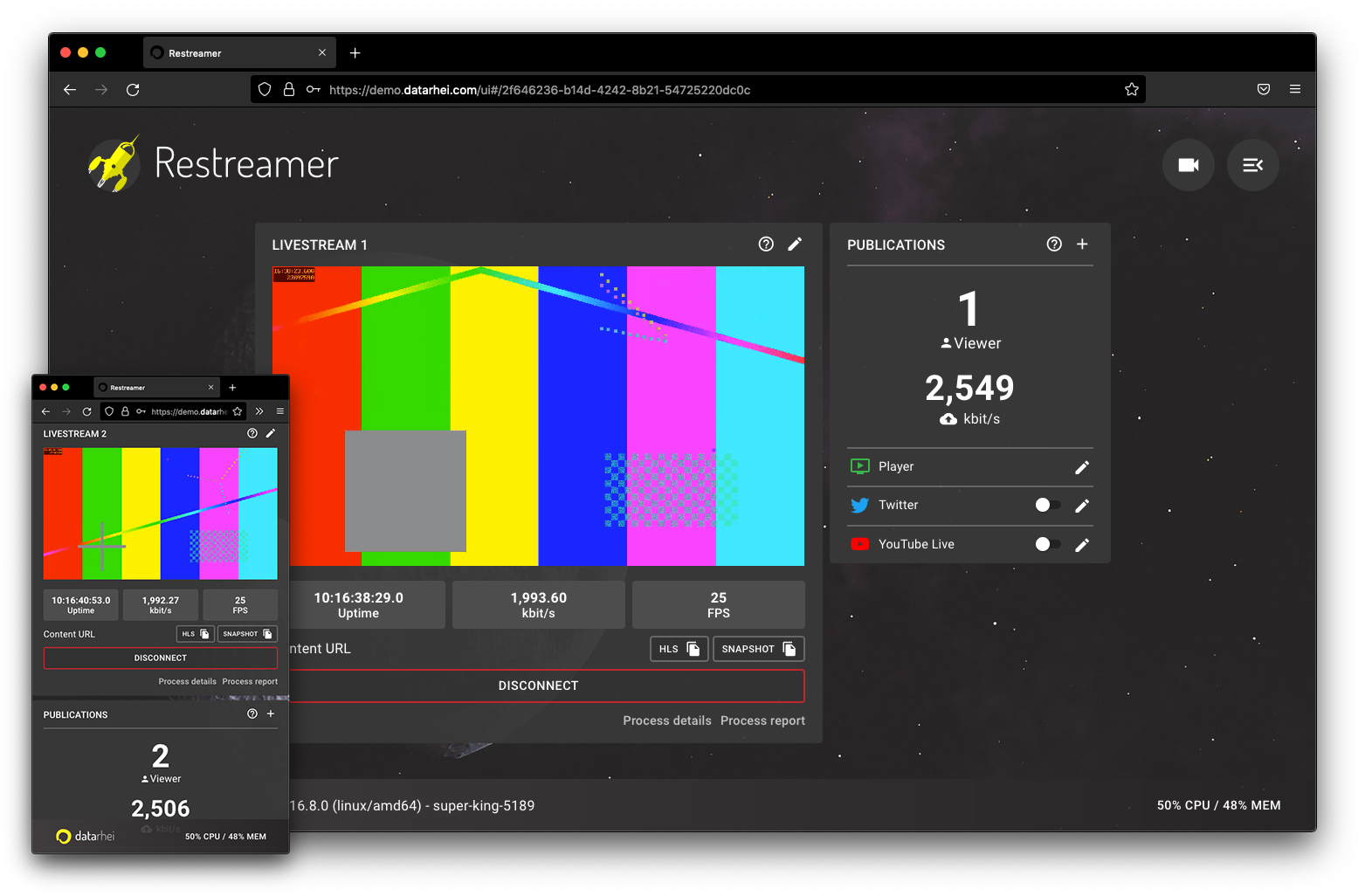
Clean User Interface
The Restreamer offers a simplified admin panel for streaming server newcomers or for users for whom the range of functions of a streaming server is simply too large. Direct feedback in the user interface with error descriptions speeds up configuration and avoids misconfigurations. In addition, the expert mode extends the range of functions to meet the requirements of professionals.
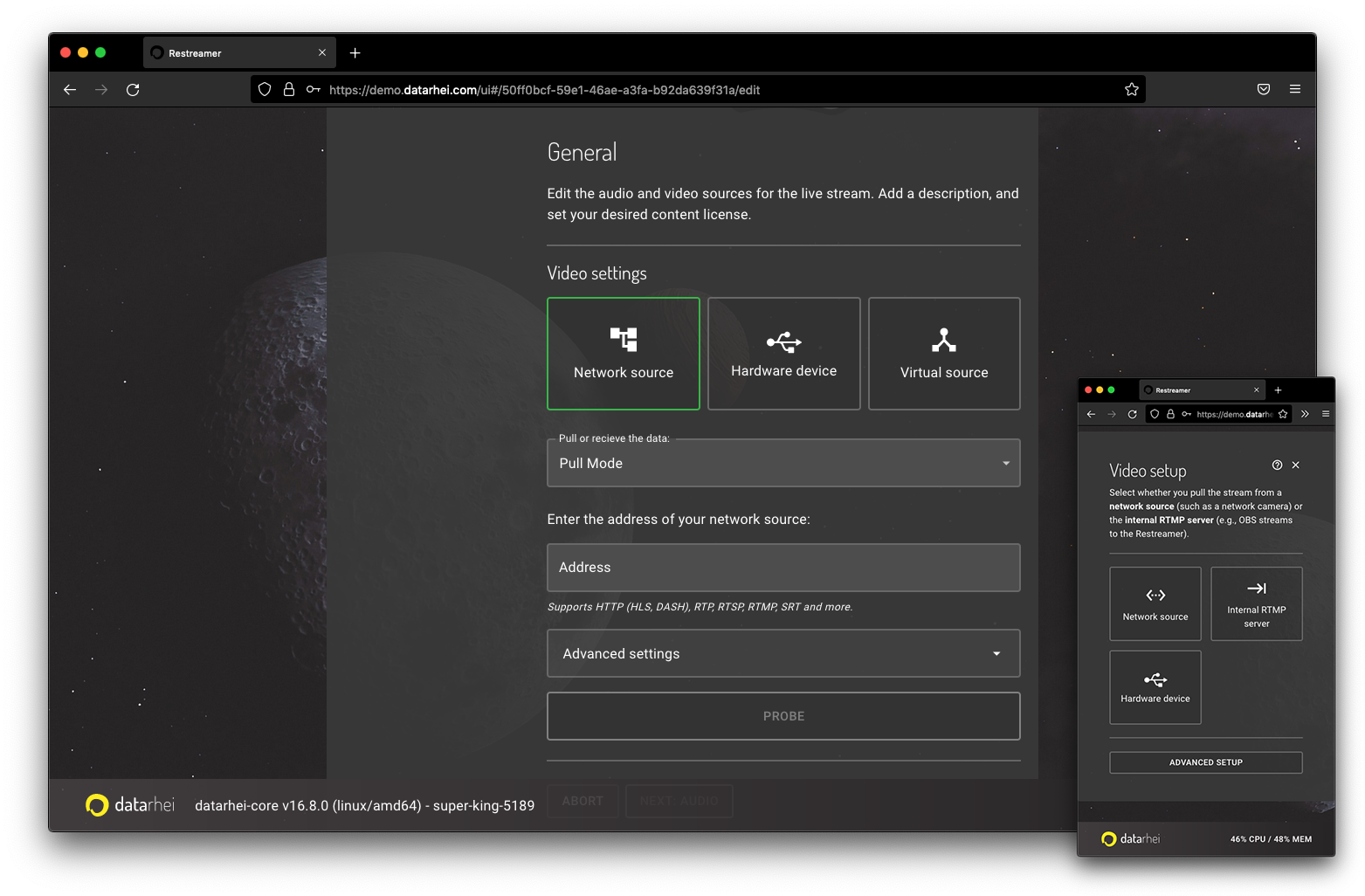
Multiple Video Sources
The Restreamer can manage various video sources from USB, network, or virtual. In addition, the built-in RTMP server processes video signals from external software such as OBS or hardware video encoders from Blackmagic and Elgato. Finally, as an absolute highlight, Restreamer supports low latency video with an internal SRT server.
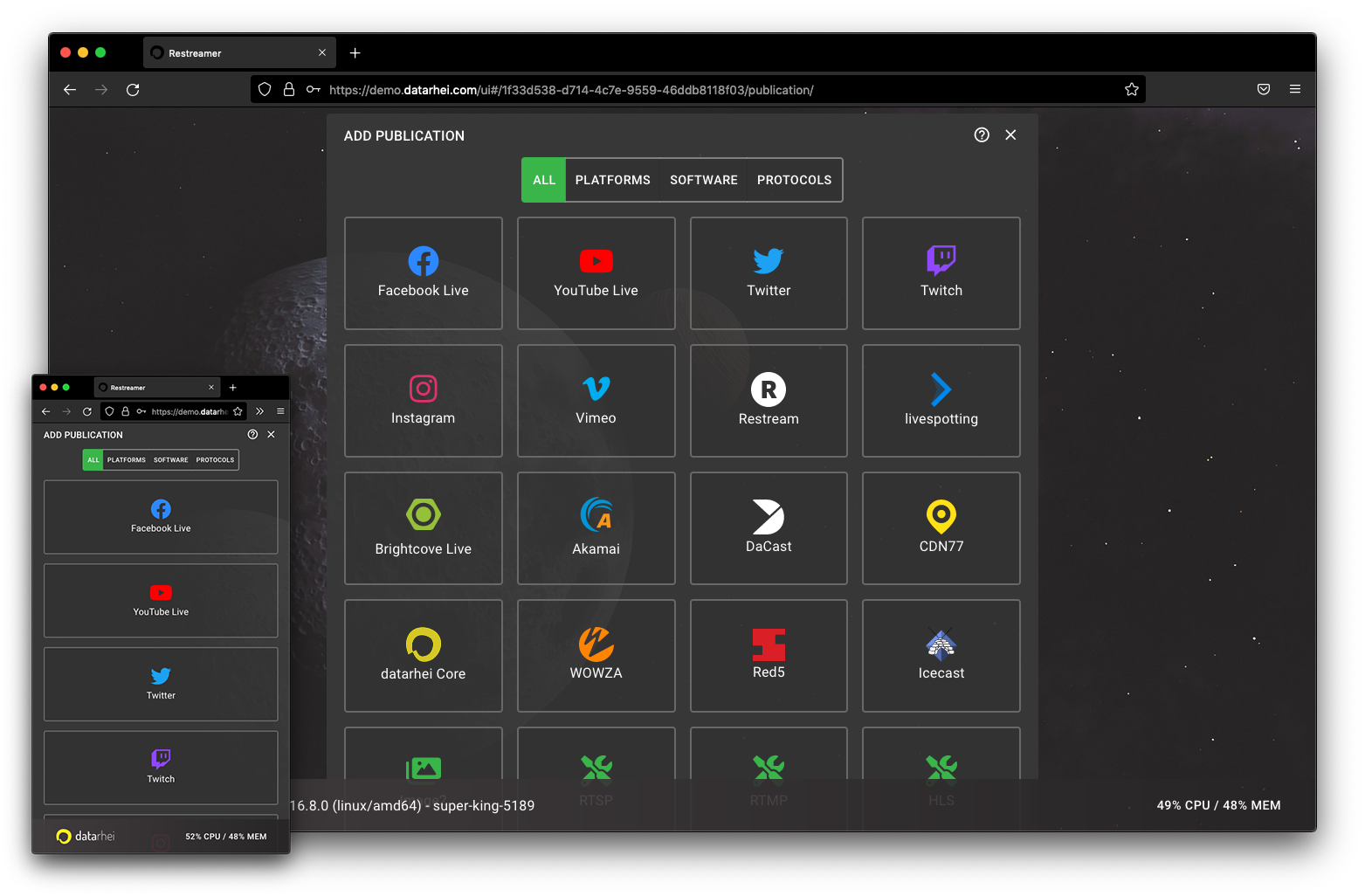
Multi Streaming
With Publication Services, the Restreamer can stream video anywhere. There are many modules available for popular video platforms and social networks. In addition, integrating video over a fully documented API allows video streams in your applications with the simplest means without extensive software development.
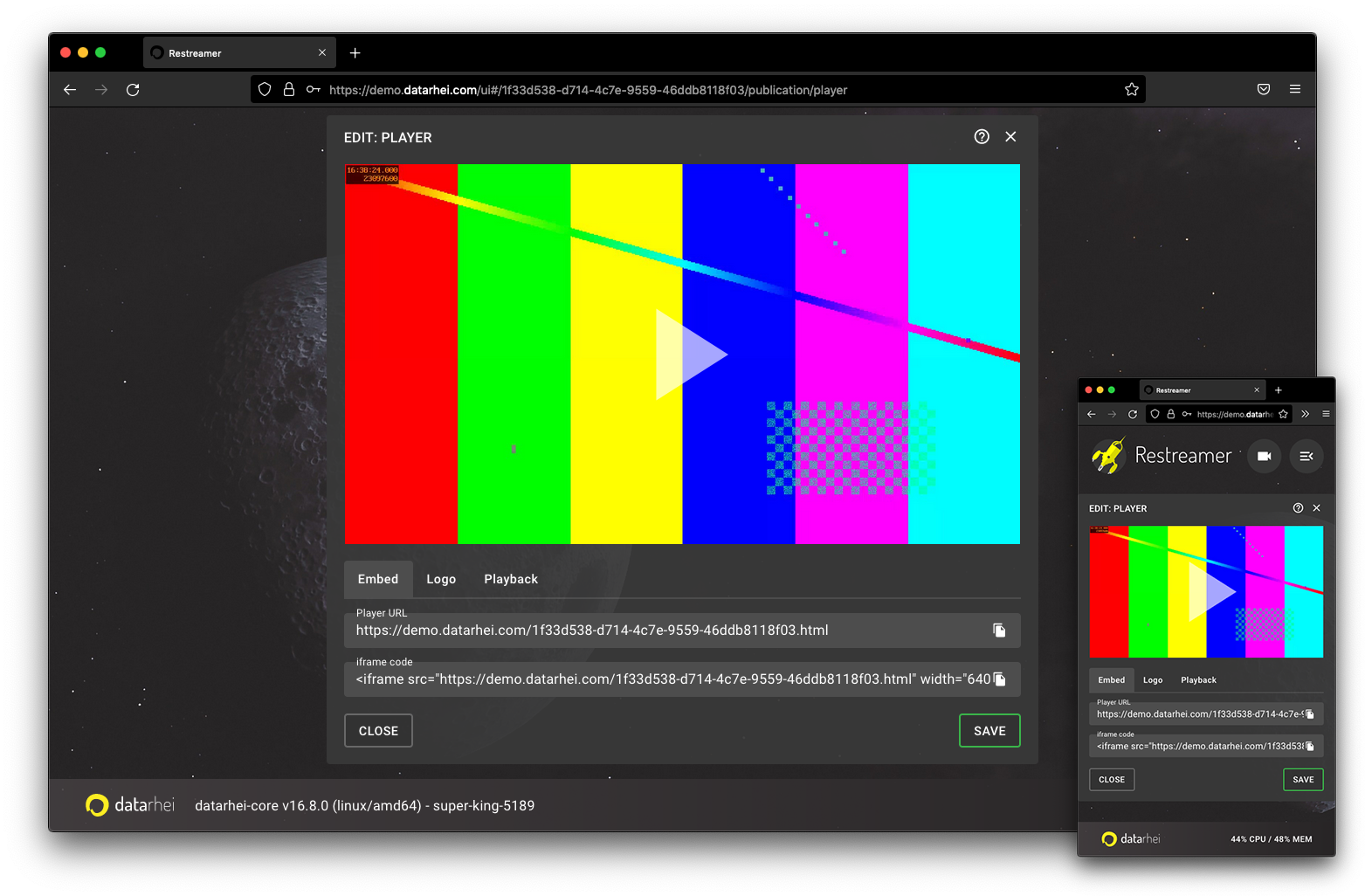
Open-Source Video-Player
Video.js is the default player in the Restreamer and a free, open-source web player used by professionals worldwide. It supports HTML5 video and all modern streaming formats. As a unique feature, the datarhei Restreamer exclusive CC plugin is ready to publish a license directly in the video stream.
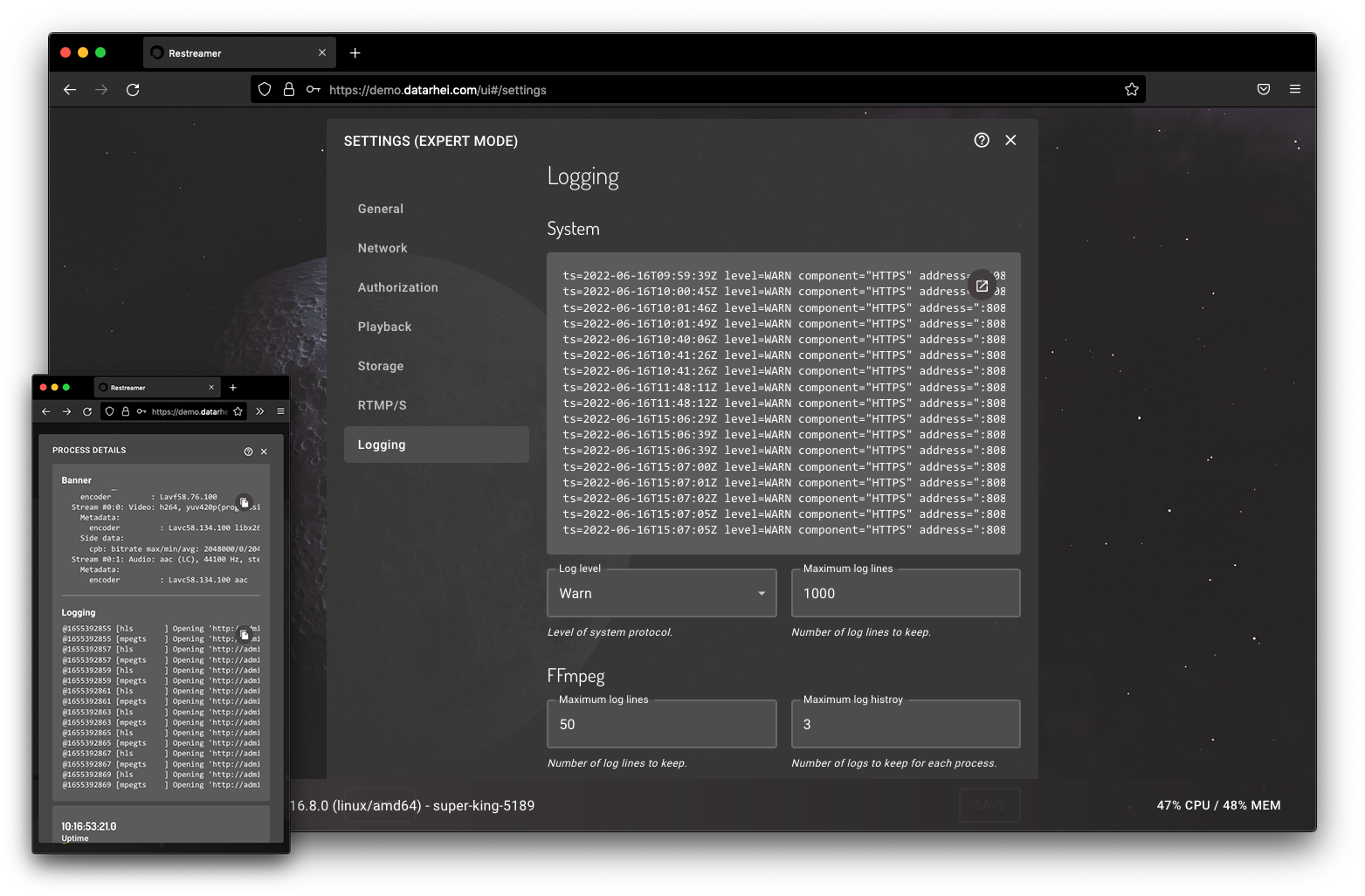
Tons of functions
The Restreamer contains many neat functions that make everyday streaming easier and significantly expand the application possibilities of the program. Log files help analyze errors, monitor proper operation, or improve systems. In addition, log files obtain information about video processing.
INSIDE RESTREAMER
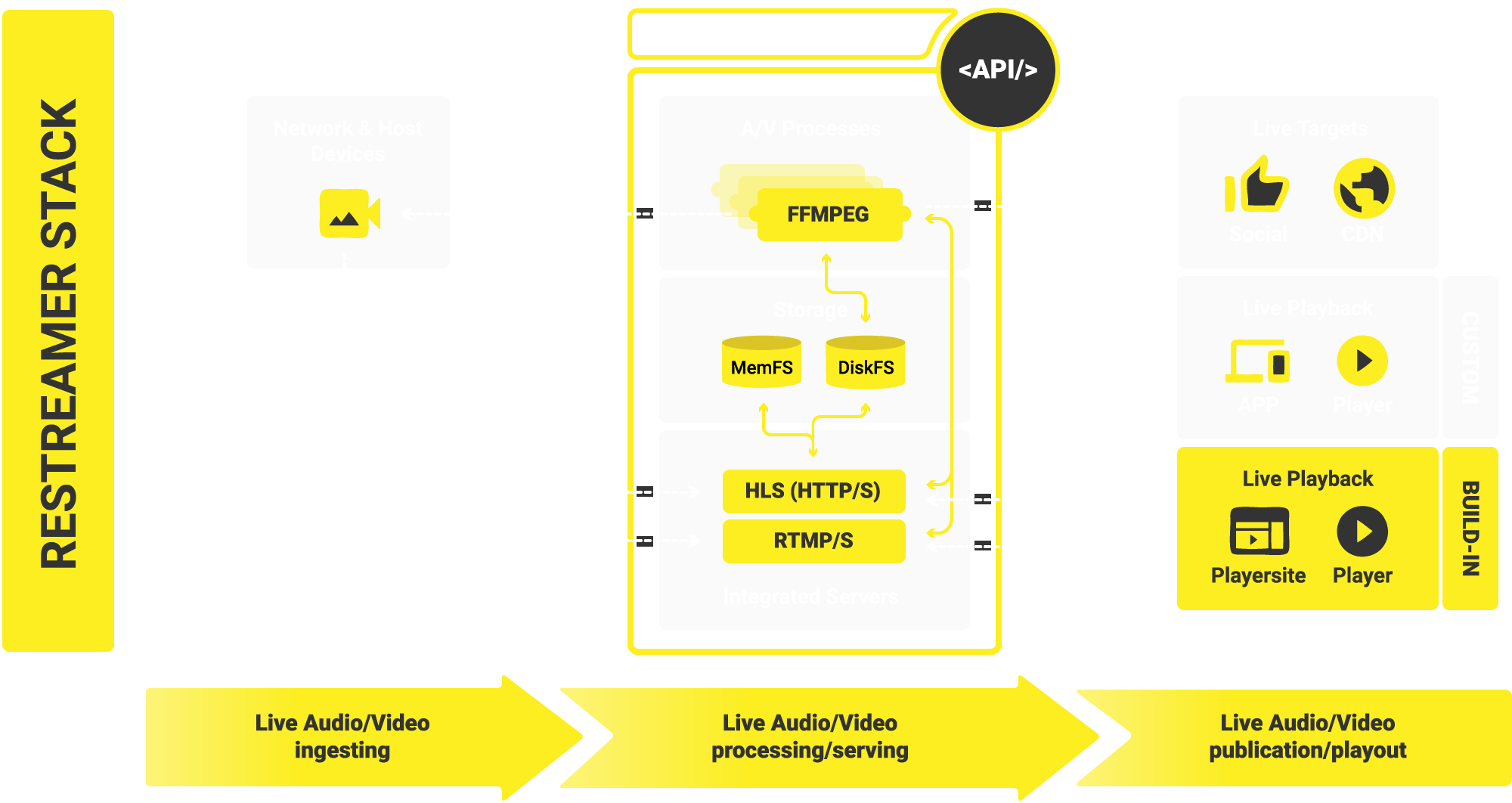
datarhei Restreamer is the central interface for mapping AV processes. It is responsible for the design and management and provides all necessary interfaces to access the video content. In addition, process and resource limitation for all FFmpeg processes protects the host system from application overload.
DATASHEET
The datarhei Restreamer is a complete streaming server solution for self-hosting and offers smart free video streaming in real time.
Frequently Asked Questions
- expand_moreWhat is the streaming server datarhei Restreamer?The Restreamer is a complete streaming server solution to host yourself. Upload your live stream to YouTube, Twitch, Facebook, Vimeo, or other streaming solutions like Wowza. Receive video from OBS and publish it via the internal RTMP server. A visually appealing user interface, no ongoing licensing costs. Complete control over video data at all times. Bandwidth limitation helps calculate traffic costs to reduce financial and technical risks. It is GDPR compliant with no third-party providers and no storage of viewer data. The Restreamer Docker image is easy to install. It runs on Linux, macOS, Windows, Raspberry Pi, and single-board computers. Beginners are supported by help and test systems and immediately find their way around the complexity of a video server. Professionals appreciate the fast and spontaneous configuration options for complex settings of applications in everyday work.
- expand_moreWhat operating system is required to install the datarhei Restreamer streaming server?We recommend our official Docker image for a fast and secure installation. Once Docker is running on the host, the chances of using the Restreamer are excellent. The Docker Engine is available on various Linux platforms, macOS, and Windows 10 via Docker Desktop and as a static binary installation.
- expand_moreWhat are the requirements for using datarhei Restreamer as a streaming server?We have a set of minimum requirements to receive official support from our team. These requirements are necessary for us to access essential system information, provide an SLA, answer questions, or give a solution to the problem. We cover only installations that meet these minimum requirements by our SLAs and paid support policy. It is necessary to use our official Docker images. It avoids issues due to missing, outdated, or mismatched dependencies, specific operating system issues, or issues with manual installations.
- expand_moreCan I activate a live stream on the streaming server without any know-how?The configuration via the graphical user interface in a browser is easy. Then, without any experience, a wizard helps you create a new video source. Then, the video signal is live via the integrated publication service in just a few steps, e.g., on YouTube, on the internal player page, or your website.
- expand_moreHow many steps are required to install the streaming server?
It is installed and started on the host system in a few seconds. The graphical user interface is immediately ready for the first login.
Prerequisites are a host system with Docker, an internet line for the Docker pull, and a browser.
- expand_moreIs the streaming server ready for the Raspberry Pi?Suppose there is a perfect streaming server for the popular single-board computer Raspberry Pi. In that case, it is the datarhei Restreamer. We recommend a Raspberry Pi 4. It works from the Raspberry Pi 2 and on a Raspberry Pi Zero. Due to the onboard GPU, the Raspi 4 is best suited for video streaming with a video streaming server. There are, of course, many other great single board computers like ODROID, pine64, the Hummingboard, and many more. The necessary system requirements are straightforward. Once Docker is working, you will be able to install the datarhei Restreamer and use it for live streaming. You can find the requirements in the docs.
- expand_moreWhat components provide the open-source streaming server?The datarhei Restreamer streaming server consists of a few arranged modules. There are three main components: input signal, processing, output, all with various system settings. The main screen always displays the current video channel with telemetry data in real time.
- expand_moreWhat are the advantages of the open-source streaming server datarhei Restreamer?It is possible to use live video streaming in real time on websites and social media platforms without an additional streaming provider for video hosting, all without monthly license costs for streaming software or the required bandwidth. The datarhei Restreamer is a modern open-source video streaming platform that anyone can install. Videos from webcams to professional television programs can be reliably transmitted live without a video hoster. Datarhei helps private and professional video creators to stream more efficiently. The Restreamer is a simple but powerful video streaming server. The fully documented API allows for software development. Therefore, it is straightforward to adapt to any project.
- expand_moreWhen is the integration of a streaming server like the datarhei Restreamer helpful?Whenever live video is a requirement, streaming servers are needed. The output is then referred to as a live stream. Streaming servers are designed to broadcast videos to large audiences. A streaming server is very similar to a web server, except that websites are not delivered but videos. It is also usable for video clips (VoD). The streaming server datarhei Restreamer is a frontend module for the datarhei Core. The Core is written in Go and can easily be integrated by software developers into programs or administrators into system landscapes to fulfill its part in transporting the video data. Use is free for personal and commercial applications.
- expand_moreIs the streaming server Restreamer open-source software?Datarhei Core and the Restreamer are open-source software. The source code is available on the GitHub software platform. Software developers can make adjustments or add their modules. livespotting GmbH from Germany is behind the software. Because we know our software best, we can provide support for enterprise applications.
- expand_moreDoes Restreamer have anything to do with restream.io?Datarhei.com products and datarhei Restreamer have no relation to restream.io. However, the web service restream.io was founded a few years after datarhei. It is documented in the repo at GitHub and the registration date of the domains www.datarhei.com, datarhei.org and .io.
- expand_moreDoes datarhei's streaming server Restreamer work with OBS?Using OBS with the Restreamer is quite simple with the internal RTMP server function. OBS serves as the sender for the RTMP stream and the Restreamer as the receiver. We have a quick guide on our YouTube channel. It takes just a few clicks to configure. Best of all, the feature can be used to receive any RTMP-enabled video source. OBS is just one of very many possibilities for an application.
- expand_moreHow many steps are required to integrate a live stream on a social media platform?A video signal can be transmitted to any streaming platform with the datarhei Restreamer. In addition, publication services are available for social streaming. Depending on the target platform, only 2 to 5 clicks are necessary until the live stream is online on the social media platform.
- expand_moreIs datarhei Restreamer a real streaming server for live streaming?The datarhei.com Restreamer is a real streaming server that meets all the needs for live streaming on the web. Our roadmap still has a few points open. However, the most critical thing for servers is stability. Because our server has been tested hundreds of thousands of times, we meet this requirement with distinction. The streaming server runs and runs and runs.
- expand_moreHow can I live stream to YouTube for free with the streaming server?With just a few clicks, you can transfer your video signal to YouTube via the Publication Service in the Restreamer. It is really effortless. In short: choose Publication Service, insert the streaming key from YouTube and start the stream on YouTube. We have produced a short video with a quick guide: https://www.youtube.com/watch?v=dwywuaIQPRg
- expand_moreCan I live stream a Raspberry Pi Cam with the streaming server?The video module for the well-known Raspberry Pi devices is called Raspicam. The cam is ready for live streaming after installing in the raspi-config menu. As soon as the camera module is active on the Pi, it is detected by the Restreamer and immediately ready for live streaming. If you want to know how easy it is to use the Raspicam for live streaming, check out this quick guide: https://youtu.be/ahawoTRDLEw
- expand_moreHow can I live stream an IP cam with the streaming server Restreamer?There is nothing better for the Restreamer than broadcasting a network camera live. The requirements for transmitting an IP cam video stream are the RTSP or RTMP protocol and the video signal with the codec H.264 or H.265. One of the two protocols and one of the codecs are available for all manufacturers of surveillance cameras. You just need to know the streaming address for your camera model to use the IP cam as a video source with the streaming server. The setup is done comfortably via the wizard and is very easy. You can find a quick guide on our YouTube channel: https://youtu.be/faH_X1i_Q00
- expand_moreWhat is the landing page with the video player?For an easy and fast presentation of the live stream, the datarhei Restreamer comes with a ready-made website. The page is equipped with a video player and ready to go. The index.html can be linked or distributed. All elements of the website are customizable via the menu. Advanced users with programming knowledge can add their CSS styles and interactive widgets via HTML code injection.
- expand_moreHow can I connect HDMI devices to the streaming server?The use of HDMI video is possible. The prerequisite for HDMI is a native installation. At the start of Restreamer V2, this type of installation is not yet officially supported by us, but it is already possible. As soon as we officially support native installation, you will find a quick guide on our YouTube channel and in the manual. Follow our Twitter channel or subscribe to our newsletter to not miss the news. If you need HDMI for your project right now, get in touch with us.
- expand_moreCan I use GPU encoding with the streaming server Restreamer?GPU encoding is tremendous and supported in expert mode. There are several exciting applications for GPU encoding. The graphics processing unit takes over computationally intensive tasks and thus relieves the central processing unit. The function is directly controlled in the Restreamer via the Core with FFmpeg. The freed processor time can be used for other tasks by the CPU. We have a quick tutorial on our YouTube channel that shows one of many applications using a Raspberry Pi GPU.
- expand_moreIs the commercial use of the streaming server datarhei Restreamer allowed?Do what you want with your datarhei Restreamer. Everything is allowed, private and commercial. If your company implements a project with datarhei, you are welcome to contact us and say hello. We appreciate every reference and support some projects with a case study, a backlink to the project and the website, or at least a small social media post.